

- The Evolution to Antigravity 2.0
- Unprecedented Speed and the Gemini 3.5 Flash Co-Optimization
- Core Primitives: Subagents, Asynchronous Tasks, and Hooks

- Advanced Artifacts and Review Flows
- Security, Permissions, and Enterprise Guardrails
- Slash Commands and Scheduled Tasks
- Voice Prompting and Live Audio Transcription
- Antigravity CLI and SDK
- Ecosystem Integrations: Android, Web, and Firebase




Welcome to the special Google I/O ’26 blog series
Google Antigravity 2.0: Architecting Software with Multi-Agent Systems
- The Evolution to Antigravity 2.0
- Unprecedented Speed and the Gemini 3.5 Flash Co-Optimization
- Core Primitives: Subagents, Asynchronous Tasks, and Hooks
- Advanced Artifacts and Review Flows
- Security, Permissions, and Enterprise Guardrails
- Slash Commands and Scheduled Tasks
- Voice Prompting and Live Audio Transcription
- Antigravity CLI and SDK
- Ecosystem Integrations: Android, Web, and Firebase
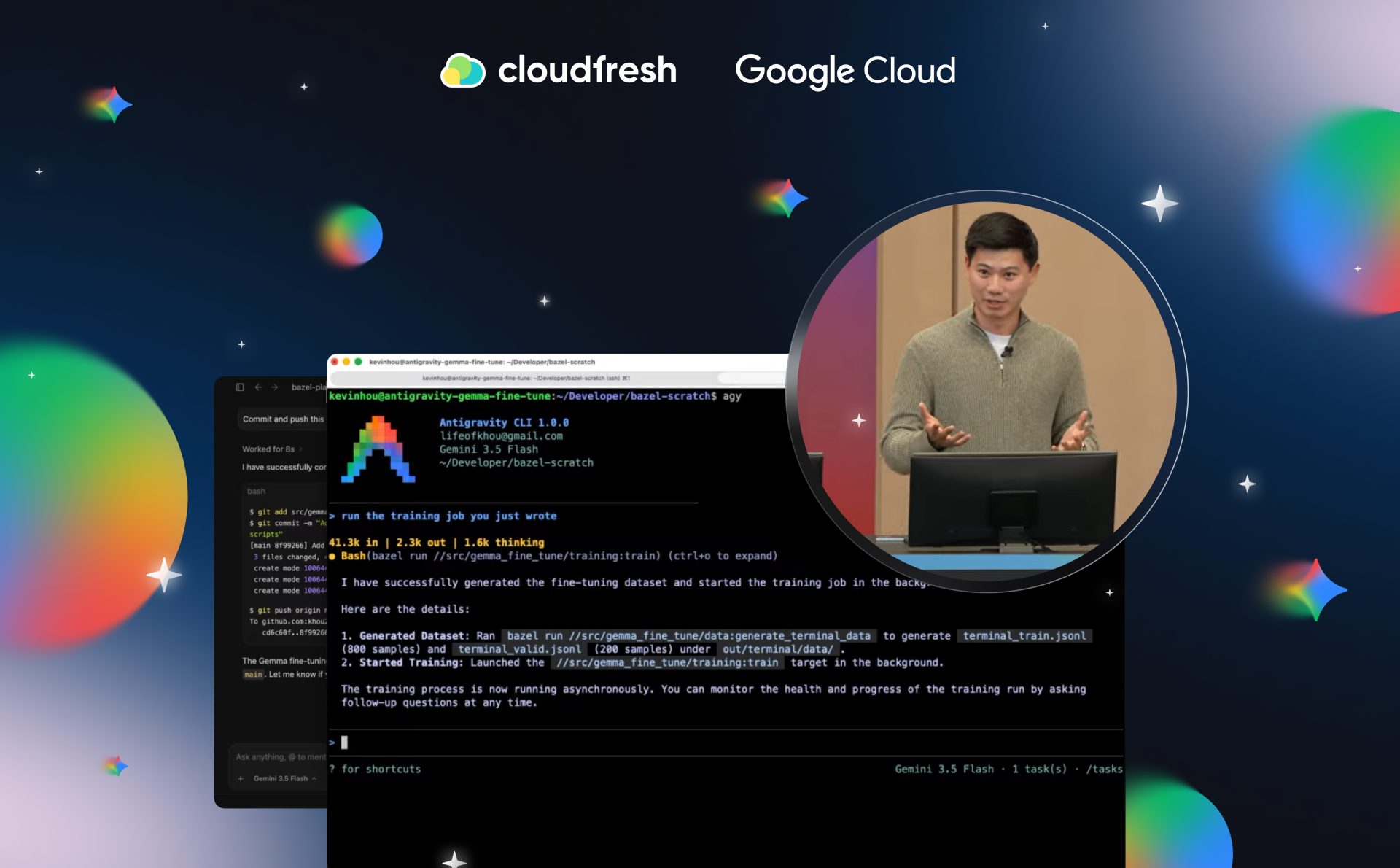
Antigravity is Google’s agent-first development platform, and it’s sitting at the center of the company’s biggest bet on the future of software engineering. It launched in November as an AI-powered IDE, but it’s come a long way since then.
The core idea is simple. Developers aren’t writing every line of code anymore; rather, they’re running fleets of autonomous agents. Antigravity 2.0 is the platform built for exactly that. It gives developers the ability to plan, act, and verify complex engineering workflows in one place, with Gemini models doing the actual work.
View it as mission control for a team that never sleeps, never loses context, and can parallelize work across an entire distributed system at once.
Today, we’re inviting you to take a first look at the newest platform with a global Google Cloud Premier Partner in our brand-new series related to the Google I/O event.
The Evolution to Antigravity 2.0
Antigravity 2.0 is a fundamental departure from the traditional IDE. In the original release, the Agent Manager was a secondary surface. But the telemetry told a different story. Developers were spending the vast majority of their time talking to agents, not writing code. So Google pulled the agent surface out entirely and gave it its own standalone desktop application.
The result is very agent-first. The interface is minimal by design, built around agent conversations, agent-produced artifacts, and multi-agent orchestration. Developers who still want to write code manually can run Antigravity 2.0 next to whatever IDE they already use (say, Android Studio) without giving anything up.
The UI itself is built for massive parallel workflows. The center of the app is a multi-turn conversational interface. The left sidebar is dedicated to “Projects,” a new architectural concept that finally untethers agents from single code repositories.
You can connect multiple folders and microservices to a single project, so a unified fleet of agents can edit code across an entire distributed system at the same time. One agent refactors the API layer while another updates the frontend, and neither one has to wait for the other to finish.
Unprecedented Speed and the Gemini 3.5 Flash Co-Optimization
The engine underneath all of this is the Antigravity Agent Harness, co-optimized with the newly released Gemini 3.5 Flash model. Agentic coding is token-intensive by nature, so speed matters a lot here. Gemini 3.5 Flash is natively four times faster than other frontier models, but Google pushed it further inside Antigravity 2.0, hitting 12x the speed of comparable models. That puts the platform at 700 to 800 tokens per second, and it means that agent thoughts and code generation move almost faster than you can read them.
In one internal test, Antigravity 2.0 built an entire functioning operating system from scratch. Over 12 hours, 93 subagents ran in parallel to execute over 15,000 model requests and process 2.6 billion tokens. They wrote the scheduler, memory management, and file system completely on their own, and iterated against their own tests. No human touched the keyboard, and the total cost came in under $1,000 in API credits.
The same platform has been used to build photo editing suites, real-time messaging apps, and the new Gemini app for macOS, where a small team delivered over 100 features in fewer than 100 days. And no, these are nowhere near being just another demo. What you’re looking at is production-grade applications built mostly by agents, with humans setting the direction rather than writing the code.
Core Primitives: Subagents, Asynchronous Tasks, and Hooks
To support work at this scale, the Antigravity harness introduces three new core primitives: Dynamic Subagents, Asynchronous Task Management, and Hooks.
Dynamic Subagents
Single agents tend to hit a wall when a task is too big or vaguely defined. To get around that, a primary orchestrator now spins up specialized subagents, like one for Data Science and one for QA, to run things in parallel.
The main agent just delegates the pieces, waits for the results, and stitches the final output together. It’s a simple setup, but it works perfectly.
Asynchronous Task Management
A lot of development time quietly disappears while you’re waiting for long-running commands to finish. Think of packages to install or dependencies to load via npm run dev.
Antigravity 2.0 pushes those commands to the background. The agent keeps writing code or spinning up subagents while the installation runs, which speeds up the time from prompt to deployed app big time.
Hooks
Hooks give developers programmatic control over agent behavior. Defined inside a JSON file, they let you inject custom logic that runs before a specific tool gets to work or before an agent wraps up its turn.
For example, you can set up a hook that runs your company’s internal validity checks at the end of every conversation. No manual intervention, full compliance.
Advanced Artifacts and Review Flows
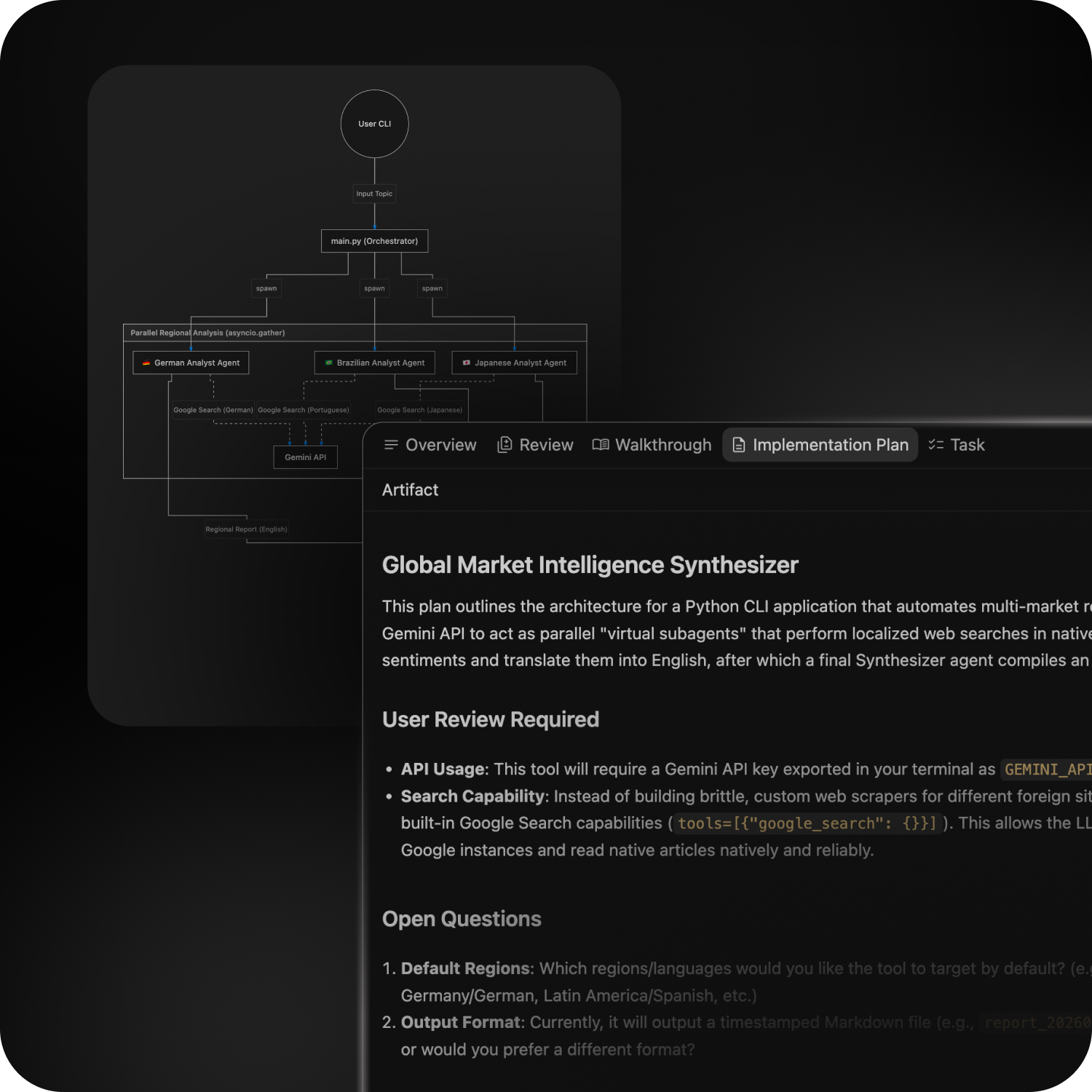
As agents take on more autonomy, communicating their progress clearly becomes critical. Antigravity 2.0 handles this through Artifacts, which live in the right-hand panel of the application. Artifacts can be markdown files, implementation plans, code changes, screenshots, or generated graphs.
Instead of fighting the agent in chat to make small adjustments, you leave inline comments directly on the artifact. The agent picks up the feedback and incorporates it as it keeps working. The entire code review flow is also built into the app, so you can inspect inline code changes and stay on top of the generated codebase without sending files to a separate IDE first.
Security, Permissions, and Enterprise Guardrails
The more autonomy you give an agent, the tighter you need to lock down the permissions. In Antigravity 2.0, you just handle that in the project settings. You map out exactly what files they have access to, set your allow-lists for the terminal, and set up your review loops. If it’s prod, you can easily force it to wait for a manual human approval before doing anything. If it’s a side project, you can just give them open access.
For enterprise customers, Antigravity 2.0 connects directly to Google Cloud projects and works within existing enterprise terms and security configurations. It plugs into Gemini Enterprise environments and inherits IAM security models, so agents like Remediation or CI/CD agents can never exceed the privileges of the user running them.
Slash Commands and Scheduled Tasks
Antigravity 2.0 introduces Slash Commands that cut past standard form inputs and speed up intent.
/schedule lets you put agents on autopilot with standard cron scheduling. Type /schedule 9 a.m. summarize pending PRs and an agent will automatically pull together a daily digest of pull requests or monitor cloud health asynchronously on its own schedule.
/goal tells the agent to skip asking for implementation feedback and push through autonomously until the job is done.
/browser spins up a browser subagent using Chrome DevTools MCP. The agent fires up a live Chrome instance to test apps, take screen recordings, and visually validate UI changes.
/grill me turns everything upside down: instead of writing code, the agent interrogates you with clarifying questions first. It’s the fastest way to arrive at a well-scoped specification.
Voice Prompting and Live Audio Transcription
Typing out complex architectural prompts takes time. Antigravity 2.0 integrates Google’s latest Gemini audio models to support native voice commands, and it goes further than basic transcription.
The platform uses advanced synthesis to strip out filler words and verbal stumbles in real time, turning spoken thoughts into clean, well-formed prompt ideas. In one demo, a developer dictated the entire architecture for a LoRA fine-tuning script for the Gemma 4 model, and Antigravity executed it correctly.
For anyone who’s ever stared at a blank prompt box trying to figure out how to phrase a complex system design, that’s a meaningful addition.
Antigravity CLI and SDK
Not everyone wants a GUI. The Antigravity CLI gives terminal-focused developers the same agent harness and Gemini models without the graphical interface. It adapts to your themes, workflows, and keybindings, and it replaces the legacy Gemini CLI entirely, with migration guides to bring over custom skills. If your team lives in the terminal, nothing about your setup has to change.
For developers who want full programmatic control, the Antigravity SDK lets you detach the agent harness from Google’s applications completely. You can customize system instructions, tools, and routing logic, then deploy the optimized Antigravity architecture on your own infrastructure or inside your own product. If you’re building out custom agent pipelines from the ground up or trying to embed this into your internal tech stack, the integration is fairly easy.
And for cloud-based deployment, Managed Agents within the Gemini API let you spin up an Antigravity agent paired with a secure, Google-hosted remote Linux sandbox in a single API call. The good news is that there’s no infrastructure management required. You get the full agent harness running in a controlled environment without standing up a single server.
Ecosystem Integrations: Android, Web, and Firebase
Antigravity 2.0 works across any stack and doesn’t require you to stay inside Google’s ecosystem. But if you are building on Google’s tools, the integrations go deep.
Android Development
Antigravity 2.0 bundles the new Android CLI natively, giving agents the ability to download the Android SDK, orchestrate devices, create projects, and deploy apps.
The Android Knowledge Base lets agents search the latest Android developer documentation, and open-sourced Android Skills handle migrations from XML to Jetpack Compose, edge-to-edge UI updates, and R8 configuration optimizations.
When used together with Android Studio, Antigravity agents can trigger deep IDE capabilities like finding usages, analyzing files, and launching Compose previews.
Web Development
Antigravity 2.0 integrates Modern Web Guidance, a package of expert-vetted skills that steer agents toward modern, cross-browser compliant standards like View Transitions and scroll-driven animations, keeping them away from outdated legacy code.
With Chrome DevTools for Agents built in, Antigravity can spin up real Chrome instances to debug web apps on its own. It runs agentic Lighthouse audits, analyzes accessibility trees, inspects network traffic, validates WebMCP tools, and then attempts fixes and reruns tests without waiting on a human.
Firebase and Flutter
Antigravity 2.0 connects directly to Firebase and automatically configures Firestore databases, Firebase AI logic, and security rules when you ask it to build a full-stack app. For cross-platform development, agents can use Flutter and Dart skills.
Because Dart is strongly typed, Antigravity gets precise signals from the analysis server about function signature mismatches, which speeds up the verify-and-act loop when building complex UIs like procedurally generated games. Antigravity also supports Agentic Hot Reload, updating Flutter apps in real time as the agent rewrites code.
Google AI Studio and Workspace
Developers can export directly from Google AI Studio into Antigravity with a single click. It’s not just a code snippet export. The complete file system, contextual history, and project state all come along, so you pick up exactly where you left off. Through Google Workspace integration, Antigravity agents can also connect to a user’s Google Docs, Gmail, and Calendar to power custom applications and pull in institutional context.
When you step back, Antigravity 2.0 really changes software engineering in so many ways. The job is moving away from syntax. Now, it’s your team that gets to figure out what to build, set the right safeguards in place, and let the agents execute. The devs who view orchestration as the new normal are going to ship way faster than those who don’t.