




The Best Business Productivity Tools for a Secure, AI-Ready Tech Stack
- Zero-Touch Deployment Guide: How to Configure Devices Remotely
- Anatomy of the Process: Enrollment vs. Provisioning

- Ecosystems and Tools: How Zero-Touch Works in Practice
- Benefits of Zero-Touch Deployment for Businesses
- Why You Should Work with Cloudfresh as a Trusted Deployment Partner
- FAQ
Jamf 11.02.2026 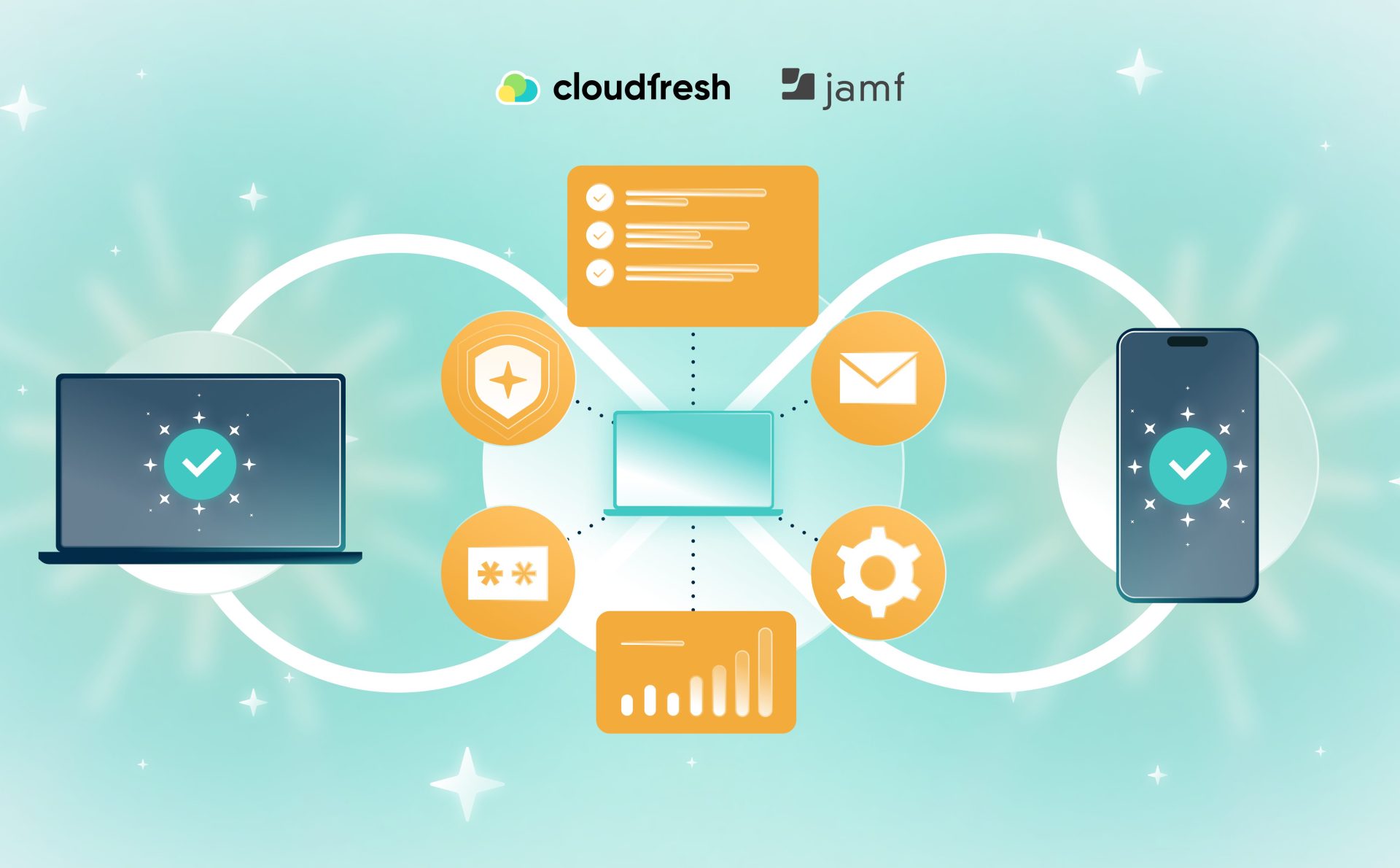

What Is Zero-Touch Deployment?
- Zero-Touch Deployment Guide: How to Configure Devices Remotely
- Anatomy of the Process: Enrollment vs. Provisioning
- Ecosystems and Tools: How Zero-Touch Works in Practice
- Benefits of Zero-Touch Deployment for Businesses
- Why You Should Work with Cloudfresh as a Trusted Deployment Partner
- FAQ
Zero-touch deployment (ZTD) is an IT method to set up, configure, and administer a new device automatically and remotely. It means that as soon as the device is turned on, the entire process happens in the background according to preset security and manual configuration criteria.
When the device is turned on and connects to the internet, it automatically assigns a mobile device management (MDM) system and receives all the settings it needs. As a result, businesses receive the tool to speed up their processes, get rid of manual twitches, and reduce human error to a minimum.
If you’re interested in how to do it right, this article shows the tips and tricks on how to implement and tune ZTD for your business.
Zero-Touch Deployment Guide: How to Configure Devices Remotely
As a matter of fact, ZTD becomes a reactive response to the need for manual effort and remote workforce, mobile devices, and quick device onboarding, which are becoming common requirements. The baseline expectation is to have all devices work the same way, no matter where they are. And zero-touch deployment delivers on these expectations: no more manual setup.
For years, IT teams used a process that looked like this:
- Get a laptop.
- Unpack it at work.
- Set it up manually.
- Put the device back in the box and send it to the employee.
Now, the situation demands more. The costs could be less, the deployment timelines shorter, and the device setup more regular. As a solution, ZTD is stripped of these problems.
How is ZTD performed in practice? For instance, a courier brings a factory-sealed device directly to an employee. The user turns the device on, goes through the OOBE (Out-of-Box Experience), and then logs in. The workspace will be automatically available in a few minutes.
Anatomy of the Process: Enrollment vs. Provisioning
It may seem that ZTD is simple; however, it requires more than one step. It is made up of two automated procedures: ZTD = Zero-Touch Enrollment (ZTE) + Over-the-Air Provisioning. Let’s break them down.
Step 1: ZTE
Zero-touch registration is the first time the device, the vendor, and the organization all shake hands. The following platforms are supported:
- Apple Business Manager
- Autopilot for Windows
- Android Zero-Touch Portal
- ChromeOS Zero-Touch Enrollment
When an employee signs up, the device immediately connects to the right MDM system as soon as it goes online.
Step 2: Over-the-Air Provisioning
Next, zero-touch provisioning takes care of everything that happens once an employee signs in:
- Putting apps on
- Using device configuration profiles
- Making sure security standards are followed
- Setting up email, Wi-Fi, and VPN
- Turning on encryption
All provisioning is done over-the-air (OTA), so IT doesn’t have to touch the device.
Ecosystems and Tools: How Zero-Touch Works in Practice
Now, let’s consider how deployment and management function on the main platforms.
Apple
Apple’s ecosystem includes macOS, iOS, and iPadOS. Apple Business Manager and a professional MDM solution are the building blocks for Apple devices, so Apple Business Manager and Jamf Pro are the best ways to go.
If you buy a Mac or an iPhone from an authorized reseller, Apple Business Manager will immediately add the device’s serial number. Upon turning on, the gadget automatically registers with Jamf, which:
- Sets up devices
- Uses security settings like passcodes and FileVault
- Installs programs such as VPNs, web browsers, and tools for working together
- Keeps everything the same across all devices
As a Professional-tier Jamf Partner, Cloudfresh offers approved Apple Device Management solutions that simplify the deployment of Apple devices at scale.
Windows Microsoft Ecosystem
For Windows devices, ZTD comes to life thanks to Windows Autopilot and Microsoft Intune (Manager for Endpoints). How does it happen? The user logs in with their work account during the OOBE. On its own, Autopilot transforms the device into a managed corporate endpoint. In particular, provisioning includes:
- Tools for the office and for working together
- Policies for safety
- Setting up the defender
- Software updates
This strategy cuts down on the requirement for manual setup and works with devices in different places.
Google Ecosystem
Google Workspace and endpoint management work with Android ZTE, too. Let’s clear it step by step. For Android, the procedure is the following:
- Through the Android Zero-Touch Portal, add devices and set up settings for Android mobile devices.
- Policies and apps are automatically put into place.
For Chrome OS and Chrome Enterprise:
- The user signs in to the browser.
- Extensions, bookmarks, and security rules take effect right away.
This is one of the quickest ways to get a new gadget set up.
On top of that, Google Workspace also provides ZTD capabilities for Windows, macOS, and iOS (for more information, please see sections above).
Benefits of Zero-Touch Deployment for Businesses
These are the common challenges answered by ZTD:
- Faster Onboarding and Operational Efficiency: With zero-touch provisioning, newcomers may start working right away. You don’t have to wait for IT setup and configuration delays, which often occur with manual intervention.
- Fewer Mistakes Made by People: Automation cuts down on mistakes. This makes it easier to follow the rules and decrease the number of support tickets.
- Better Security and Regulatory Compliance: Devices can’t bypass the configuration process, like creating a strong password or turning on encryption. Standards for security are automatically enforced with a dynamic host configuration protocol as opposed to the trivial file transfer protocol. If a device is lost or stolen, you can perform a remote wipe to protect sensitive data.
- Getting Rid of Shadow IT: Because every device is immediately added to the MDM system, managers always know what software is on each device and what security settings are in place.
ZTD solves some of the biggest problems in IT by making it easier to onboard new employees, decreasing human error through automation, and getting rid of shadow IT with complete MDM visibility. Mandatory security settings during OOBE simplify repetitive procedures, while remote administration eliminates operational risks and decreases the total cost of ownership.
Why You Should Work with Cloudfresh as a Trusted Deployment Partner
ZTD needs more than just software licensing. Off-the-shelf solutions need additional ZTE to operate. You must register serial numbers in managers like Apple Business Manager, the portal for Android Zero-Touch, or Windows Autopilot.
Here, Cloudfresh steps in to deliver:
- Deep expertise in advanced capabilities of ZTD
- Simplified management
- Proactive security embedded in the process
- Scalable and reliable solutions tailored to your environment
- Support by a dedicated team and vast knowledge base
Companies that have workers all over the world need ZTD, as it lowers risks and makes introductory workflows better right off the bat. As a result, any corporate device is powered more consistently, and it allows IT teams to focus on strategy, not case-by-case execution.
Cloudfresh, being a reliable provider of zero-touch deployment for years, is ready to assist your teams with custom solutions regardless of their complexity. Whether you’re a startup or an enterprise, schedule a call to get a free consultation.
Need a complete zero-touch deployment solution? Let’s talk!
FAQ
01 What is Zero-Touch Deployment (ZTD)?
02 What problems does ZTD solve?
03 Which platforms support ZTD?
04 What are typical steps in a ZTD workflow?

Get in touch with Сloudfresh