
























Google Workspace vs Microsoft 365
- What Is Included in the UCaaS Ecosystem?
- Why Businesses Choose UCaaS: Benefits of UCaaS

- UCaaS vs. Traditional Communication Systems
- Overview of UCaaS Providers
- How to Choose the Right UCaaS Provider
- Staying Ahead of Competition with UCaaS
- Conclusion
- FAQ
Google Workspace 03.02.2026 

What Is Unified Communications as a Service (UCaaS)?
- What Is Included in the UCaaS Ecosystem?
- Why Businesses Choose UCaaS: Benefits of UCaaS
- UCaaS vs. Traditional Communication Systems
- Overview of UCaaS Providers
- How to Choose the Right UCaaS Provider
- Staying Ahead of Competition with UCaaS
- Conclusion
- FAQ
These days, companies are forced to use many communication channels at once to stay aligned with the competition. We’re used to Meet or Zoom for live video conversations, Gmail or Outlook for emails, Google Chat or Slack for internal discussions, and so on. Constant switching between collaboration tools, however, introduces additional friction across teams and projects. That’s why the need for a consistent approach has become crucial, and here, UCaaS steps in.
Unified Communications as a Service (UCaaS) brings all communication tools onto a single platform. Companies only sign up for a customizable service, with no need to maintain the underlying infrastructure. Let’s break down this subscription-based communication service so you can leverage its benefits for your business.
What Is Included in the UCaaS Ecosystem?
Unified Communications as a Service (UCaaS) is a cloud-based communication business platform. So, instead of managing multiple corporate accounts, UCaaS stores data in one secure cloud environment.
In particular, businesses commonly include voice over internet protocol (VoIP), video conferencing, team messaging, real-time collaboration tools, and more:
- Voice Telephony: Nowadays, businesses tend to switch to cloud-based calling, as it offers more flexible pricing and reduces additional maintenance expenditure.
- Video and Conferencing: You don’t need to buy and maintain additional software anymore, as the built-in video capabilities of Google Meet or Microsoft Teams simplify meetings and webinars.
- Daily Business Communication: Team chats, channels, and threaded conversations keep discussions structured and searchable, allowing you to keep track of statuses and information.
- Online Cooperation: If you need collaboration tools, Google Docs, Sheets, and Slides will help teams remain in sync via shared documents, spreadsheets, and presentations.
Additionally, the best thing is that these services are accessible from any remote location with internet access, turning UCaaS into a dream platform for hybrid and remote offices. However, you can enjoy frictionless collaboration only when all of these elements work together smoothly. A big share of its efficiency depends on implementation partners like Cloudfresh. That’s why we concentrate on creating a complete user experience rather than rolling out standalone features.
Why Businesses Choose UCaaS: Benefits of UCaaS
As UCaaS platforms become more and more popular, let’s consider the unique benefits they bring to companies.
Reduced Costs
SMEs and enterprises benefit from UCaaS to the same extent. UCaaS is affordable and cost-effective from implementation to maintenance. Firstly, it doesn’t require major upfront investments as compared to traditional infrastructure-based services. For example, you don’t need to buy a phone system and so on.
As soon as UCaaS is essentially a “service,” the provider will deal with all IT support and repairs. Moreover, eliminating PBX will save you money on on-premises maintenance. Plus, extra features like open-source application programming interfaces (APIs) can also simplify the implementation process. For instance, Zapier can be used to link with Google Chat and quickly connect it to over 8,000 additional apps.
Faster Time to Deployment
Implementation doesn’t require you to be a tech expert. It doesn’t take a lot of time, either. Your UCaaS platform provider has already supplied the pre-tuned version, and the majority of the setup is already complete. So you will be able to swiftly and effectively move your system to the cloud with your internal IT teams or with our help. In the latter scenario, you’ll get full user manuals and guidelines, as well as customer service representatives who can help with any issues.
Security and Reliability
Safe cloud communications are a priority, reinforced with service-level agreements (SLAs). To stop unauthorized access, top UCaaS platforms use strong security measures like managing identities in one place, Single Sign-On (SSO), and encrypting data while it’s being sent and stored.
This enables extended control over who can access what from one place, cuts down on password fatigue, and promptly cuts off access when an employee departs the organization.
Data Loss Prevention (DLP) is another important part. UCaaS systems employ rules for email, chat, files, and meetings to prevent the accidental or intentional sharing of sensitive information outside the company.
Furthermore, top platforms are made to follow international rules like GDPR, which make sure that data is processed legally, stored safely, and made clear. This built-in compliance greatly lowers the legal and operational risks for businesses that are active in more than one region.
Another factor is uptime. Top-tier UCaaS providers minimize downtime and safeguard vital corporate communications by delivering up to 99.999% uptime.
Flexibility and Mobility
Your employees will be able to work remotely without any stress, as they will have access to their work environment from a desktop or even a corporate mobile device. That holds true for both office workers and those who need to move between locations a lot.
Employees will also benefit personally from a single platform since it eliminates the need for them to hop between apps or maintain several tabs open to complete various tasks.
Improved Efficiency
With UCaaS, you unify communications and promote teamwork. For remote teams, UCaaS helps create a sense of office culture and community that may be lacking. As a result, your team receives centralized access to many communication methods, with no room for blockers or misunderstandings.
Moreover, having a single primary hub for communications will make your team feel more unified and connected, as all messages and information will be in one location. Additional AI-powered tools, such as automated speech recognition and note-taking by Gemini, will provide new opportunities for improving productivity and accuracy.
Higher ROI
For traditional communication systems, you need to spend a lot of money on servers, telephone hardware, maintenance contracts, and regular upgrades. UCaaS uses operational expenditure (OPEX) instead, where businesses pay a set subscription cost based on how much they actually use the cloud service.
This change makes finances more flexible. Companies no longer need to overinvest “just in case” of future growth. Costs go up and decrease with the business, but the supplier takes care of upgrades, security fixes, and new features. Because of this, IT budgets are more visible, easier to forecast, and internal teams can focus on strategic goals instead of keeping the infrastructure up-to-date.
UCaaS vs Traditional Communication Systems
It is helpful to compare UCaaS with conventional on-premises communication systems to see why companies are switching. The table below shows the most significant differences.
| On-Premises PBX | UCaaS | |
| Deployment | Physical servers and hardware installed on-site | Fully cloud-based, delivered as a service |
| Initial costs | High upfront investment in servers, licenses, and infrastructure | Minimal upfront cost, subscription-based, depending on the provider |
| Ongoing costs | Maintenance, upgrades, IT staff, and constant hardware replacement | Predictable monthly or annual subscription, with many flexible plans depending on the operational needs |
| Scalability | Slow and expensive | Instant scaling up or down |
| Remote & hybrid work | Limited or complex VPN-based access | Native support from any device on Windows, macOS, Android, etc. |
| Updates & innovation | Manual | Automatic updates with continuous feature improvements |
| Security & compliance | Depends on internal IT resources | Built-in SSO, DLP, and GDPR compliance from leading providers |
| Business continuity | Risk of downtime due to local failures | High availability with global cloud infrastructure |
| Time to deploy | Weeks or months | Days or even hours |
Traditional ecosystems, designed during a time when workers shared a single workspace and communication requirements were predictable, needed to find ways to adapt to modern advancements. With UCaaS, communication adopts a dynamic, service-driven methodology instead of a static, hardware-bound one.
Additionally, partners like Cloudfresh provide value in this area by assisting businesses in moving away from legacy systems, selecting the best UCaaS ecosystem, and guaranteeing a smooth transition free from interruptions to company operations.
Overview of UCaaS Providers
For most businesses, picking a UCaaS solution is less about the particular capabilities and more about picking the correct strategic platform. There are a lot of UCaaS vendors in the market, but only a few of them really set industry norms and long-term trends. Their calls and videos, their ecosystems, their security features, and their ability to support large, dispersed organizations distinguish these leaders. Let’s review them.
Google Workspace
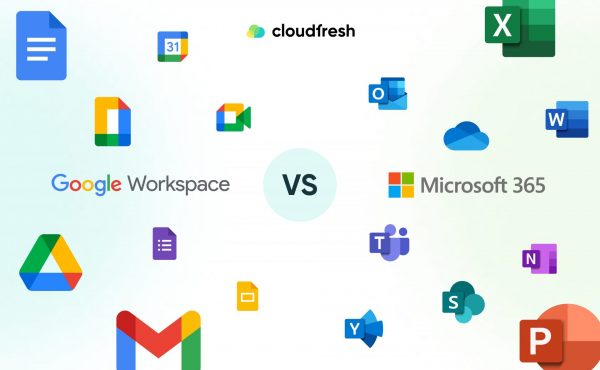
Google Workspace is a UCaaS solution that brings together Gmail, Google Meet, Google Chat, Google Docs, Google Sheets, Google Slides, Google Drive, Gemini, NotebookLM, and many other tools into one cloud place where people can easily communicate and create content.
Its key strengths are that it’s easy to use, fast, and offers all necessary features. Users may go from email to video conversations, chats, or shared documents without having to switch or lose track of what they’re doing. It makes Google Workspace ideal for teams that want to stay in context at all times.
Microsoft Office 365
Enterprise UCaaS choice can also start with Microsoft 365, with Microsoft Teams at the center of this ecosystem. Teams works very well with Outlook, SharePoint, OneDrive, and all of the secure and straightforward Office applications.
This versatility makes it a good choice for businesses that are already part of Microsoft’s ecosystem. Moreover, strong governance, solid security measures, and a lot of customization choices are important for businesses that work in complicated settings.
Other UCaaS Providers
Other well-known UCaaS providers like Zoom or RingCentral are great for some communication tasks, like video conferencing or cloud telephony, but they usually focus on connectivity instead of providing a whole productivity ecosystem.
Because of this, businesses that use these solutions typically need to add an array of other platforms for email, document collaboration, and workflow management.
When comparing UCaaS providers, you often have to choose between ecosystems instead of just features. Cloudfresh is a trusted expert who helps businesses choose the correct technology stack and ensures that Google or Microsoft solutions fit their needs and long-term goals.
How to Choose the Right UCaaS Provider
Microsoft 365 and Google Workspace both provide all-in-one environments that include everything from communication tools to collaboration and productivity. This is why a reliable consultant is a must. Cloudfresh is a trusted expert that helps businesses find the ideal Google or Microsoft UCaaS solution by looking at their company operations, security needs, and growth ambitions, guaranteeing fast user adoption and verifiable corporate value.
All our expertise, simply put, means we can apply the following algorithm, speeding up the choice for you:
- Assess the team size and setup: Whether you need remote work capabilities and how extensive communication is right now.
- Verify security and compliance: Make sure that SSO, DLP, GDPR, HIPAA, and internal policies are all supported.
- Pick an ecosystem: Look at Google Workspace and Microsoft 365 as full-service UCaaS systems.
- Check scalability: Ensure the solution grows with your organization without any problems.
- Get support from a consultant: Partners like Cloudfresh will help you choose the correct stack and adopt it quickly with measurable value.
Staying Ahead of Competition with UCaaS
UCaaS platforms can now do more than just let people text or call. And they are expected to do so. When they become smart communication centers, businesses need to use them to automate regular tasks and link internal and external exchanges to keep pace with the market. Here are the key capabilities you need to implement right now:
Automation and AI
Google Workspace’s Gemini and Microsoft 365’s Copilot are two examples of AI-powered tools and service providers that make day-to-day communication faster with automation. In particular, AI can write down what people say in meetings in real time, make summaries with important action points, and help people write or improve emails and instant messages, infinitely reducing administrative work.
Integration of UCaaS and CCaaS
The merging of UCaaS and CCaaS (Contact Center as a Service) is a potent mix. In the past, customer support systems and internal team communications worked in different areas. Now, businesses can make customer interactions and internal collaboration flow smoothly by connecting UCaaS platforms with tools like Zendesk.
Support agents may quickly get help from experts inside the company, share information, and fix problems faster. As a result, customers have a better experience, and internal processes run more smoothly.
High-Level Analytics
Advanced analytics turns data about communication into useful information for making decisions. Modern UCaaS platforms show how often and how exactly teams communicate, showing how well meetings are going and how people in different departments talk to one another. These insights help businesses make better decisions, operate more efficiently, and plan their workforces more effectively.
Conclusion
UCaaS has become an integral part of modern business, allowing for many vital features to make operations fast and reliable. However, different platforms offer various user experiences and approaches. That’s why having experienced partners is really vital.
As an official Google Cloud Premier Partner and Microsoft Partner, Cloudfresh manages all the implementation processes, from audit and migration to ongoing assistance.
FAQ
01 What is the UCaaS’ meaning?
02 What components are typically included in UCaaS?
03 How scalable is UCaaS?
04 What should I evaluate when choosing UCaaS companies?

Get in touch with Сloudfresh